At a minimum, an online store in Mexico should offer card payments with interest-free installments, cash and bank transfer payments, a short checkout with guest purchase, shipping calculated by ZIP code, order notifications, real-time inventory, search and filters, complete product pages, technical SEO, sales tracking, security, legal notices, CFDI e-invoicing, abandoned cart recovery and reviews.
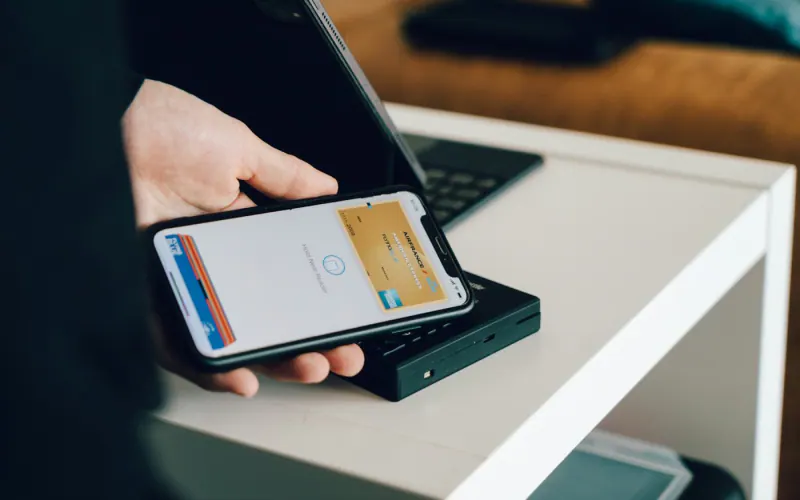
- Offer several ways to pay: card, interest-free installments, cash at a store and SPEI transfer.
- Show the shipping cost before the last step of checkout.
- Inventory should update itself so you never sell what you don't have.
- Automatic CFDI 4.0 invoicing saves hours every week.
- Tracking each step of the purchase tells you where customers drop off.
The 15 features at a glance
Not all of them are equally urgent. This table separates what needs to be there on launch day from what can arrive in the first few months:
| # | Feature | Priority |
|---|---|---|
| 1 | Card payments with interest-free installments | Day one |
| 2 | Cash payments and SPEI bank transfer | Day one |
| 3 | Short checkout with guest purchase | Day one |
| 4 | Shipping calculated by ZIP code | Day one |
| 5 | Local delivery or in-store pickup | Day one if you sell in your own city |
| 6 | Order notifications and tracking | Day one |
| 7 | Real-time inventory with variants | Day one |
| 8 | Search and filters | From 50 products |
| 9 | Complete product pages | Day one |
| 10 | Technical SEO and structured data | Day one |
| 11 | Sales and funnel tracking | Day one |
| 12 | Security and backups | Day one |
| 13 | Privacy notice, terms and returns policy | Day one |
| 14 | CFDI 4.0 invoicing | First month |
| 15 | Abandoned carts and reviews | First three months |
Payments: features 1 to 3
1. Credit and debit cards with interest-free installments
Interest-free installments (meses sin intereses) are a deeply rooted habit in Mexico and can decide a high-ticket purchase. Gateways such as Mercado Pago, Stripe, Conekta and Openpay offer them; check which banks participate and how much each installment plan costs you before you advertise them.
2. Cash at convenience stores and SPEI transfers
Many people don't buy online with a card, either because they don't have one or because they don't trust it. Offering cash payment at stores like OXXO and SPEI bank transfers opens the door to that audience. Keep in mind that cash payments use a reference with an expiration date, so it's best to hold the inventory only for that period. We explain it in online payments in Mexico.
3. Short checkout and guest purchase
Forcing people to create an account before paying scares buyers away. Every extra field is one more reason to abandon. Ask only for what you need: name, phone, email, address and payment method. Autofill the neighborhood and city from the ZIP code and offer account creation at the end.
Shipping: features 4 to 6
4. Shipping calculated by ZIP code
A surprise shipping charge at the last step is one of the main reasons people abandon their cart. Show the cost, or at least an estimate, from the product page or the cart, based on the ZIP code. If you offer free shipping above a certain amount, say so across the entire site.
5. Local delivery or in-store pickup
If you have a store in Torreón, same-day delivery in the metro area or the option to pick up at a location is a huge advantage over the big national retailers. Define zones by ZIP code for Torreón, Gómez Palacio and Lerdo, with clear cutoff times.
6. Notifications and tracking
Order confirmation, payment received, order shipped with a tracking number and order delivered. By email at a minimum, and over WhatsApp if you want to cut down on "where's my order?" messages. Automated WhatsApp notifications require the API; we explain it in WhatsApp Business app vs. API.
Catalog and inventory: features 7 to 9
7. Real-time inventory with variants
Size, color, format: each variant with its own stock count. If you also sell over the counter or on a marketplace, inventory has to sync so you never sell the last unit twice. For small businesses, MonkeyInventario connects a lightweight inventory to Google Sheets.
8. Search and filters
Once you have more than a few dozen products, search becomes the main way people browse. It should tolerate typos and synonyms, and filters should match how customers decide: price, size, use, brand.
9. Complete product pages
Several real photos, dimensions, materials, delivery times, exchange policy and FAQs. The product page does the job of a sales associate on the floor, so it should answer whatever they would. If your photos aren't up to par, read the guide to product photography.
Visibility and tracking: features 10 and 11
10. Technical SEO and structured data
Every product and category with its own title, description and URL; Product structured data with price and availability (you can generate it with the schema generator); acceptable mobile speed; and category pages with useful copy, not just a grid of photos. Slow stores lose sales and rankings; we go into detail in Core Web Vitals.
11. Sales and funnel tracking
Google Analytics 4 with e-commerce events (view item, add to cart, begin checkout, purchase) and, if you run Meta ads, the pixel together with the Conversions API. That way you know at which step customers drop off and which campaigns actually sell. Calculate your campaigns' return with the ROAS calculator.
Trust: features 12 and 13
12. Security and backups
An SSL certificate across the whole site, two-factor authentication for admins, up-to-date software, per-user permissions and automatic backups stored off the server. A store that goes down in the middle of Buen Fin, Mexico's biggest shopping weekend, is money you never get back. Our guide to business backups explains how to do it right.
13. Privacy notice, terms and returns policy
In Mexico you need a privacy notice (aviso de privacidad) because you handle personal data, and Profeco, the federal consumer protection agency, requires that consumers clearly see the total price, delivery conditions and how to cancel or return an order. Write it in plain language and link to it from checkout. Beyond compliance, it builds trust with first-time buyers.
Post-purchase: features 14 and 15
14. CFDI 4.0 invoicing
If you sell to companies or professionals, they'll ask for a CFDI, Mexico's official electronic invoice. Issuing one by hand for every order doesn't scale. The ideal setup is a self-invoicing portal where customers enter their ticket and tax details, plus a global invoice for the uninvoiced sales at the end of the period. MonkeyFactura handles this connected to your store, and the guide to automatic CFDI invoicing explains the full process.
15. Cart recovery and reviews
A friendly reminder to people who left products in their cart recovers sales you'd already written off. And asking for a review a few days after delivery builds the social proof that convinces the next buyer. Both can be automated by email or WhatsApp, with the customer's consent. Start with a single cart reminder and a single review request; more messages rarely sell more.
Example: a baking supply store in Torreón
A baking supply store in Torreón was selling through Facebook and Instagram and closing every sale over direct messages. When it launched its online store, it prioritized four things: same-day delivery in Torreón, Gómez Palacio and Lerdo with a cutoff time; in-store pickup; cash payment for people who don't use cards online; and a search bar that understands both "cookie cutter" and "cookie cutters." Repeat questions on WhatsApp dropped because product pages already answered sizes, stock and delivery times, and the team could devote its messages to large orders from bakeries.
A coffee brand that sells nationwide followed a similar path with subscriptions; it's in the specialty coffee e-commerce case study.
Before you launch: go through this list
- Place three test orders with different methods: card, cash and bank transfer.
- Check that every notification reaches both the customer and your team.
- Test checkout from a phone on mobile data, not just the office Wi-Fi.
- Confirm that GA4 records the purchase with the correct amount.
- Make sure the privacy notice, terms and returns policy are in place.
- Get your store ready for peak seasons with the guide how to prepare your store for Buen Fin and Hot Sale.
If you haven't chosen a platform yet, compare your options in Shopify, WooCommerce or a custom store. If you're in La Laguna, see our online stores in Torreón service; for the rest of the country, our e-commerce service.