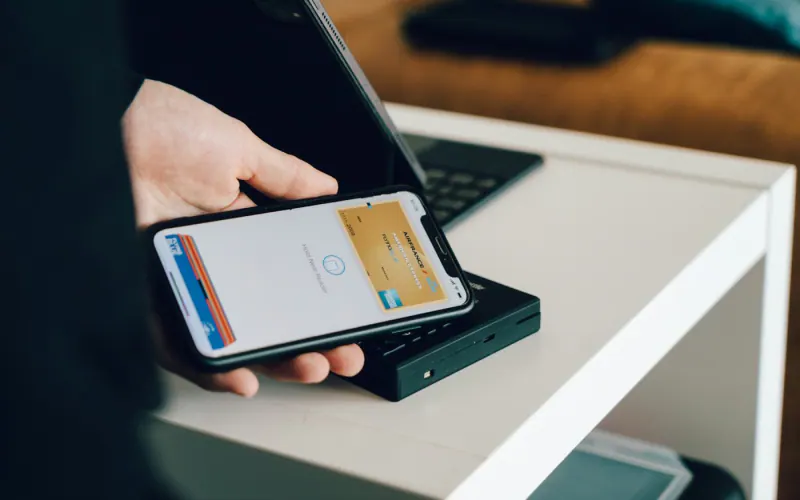
An online store in Mexico should accept, at a minimum, credit and debit cards, interest-free installments, cash payments at convenience stores like OXXO and SPEI bank transfers. Gateways like Mercado Pago, Stripe, Conekta and Openpay offer several of these methods through a single integration; the right choice depends on fees, the checkout experience, automatic reconciliation and your store's platform.
- Offering cash and bank transfer wins back customers without cards or who distrust paying online.
- Interest-free installments help with high-ticket items, but the merchant absorbs a cost for each term.
- OXXO Pay and other cash payments aren't instant; adjust your inventory and notifications.
- Automatic SPEI reconciliation saves hours of combing through bank statements.
- Chargebacks happen: keep proof of delivery and use 3D Secure authentication.
Why you need several payment methods in Mexico
Mexican shoppers are diverse. Some pay for everything with a credit card to take advantage of interest-free installments, some only have a debit card, some prefer to transfer money from their banking app, and some still don't trust entering card details on a website and would rather pay cash at the corner store. If your checkout only accepts one of these options, you lose everyone else at the final step, which is the most expensive place to lose them.
The goal isn't to add twenty buttons but to cover the four big groups: cards, interest-free installments, cash and bank transfer. That covers the vast majority of buyers. We also cover this in must-have e-commerce features.
The payment methods, one by one
Credit and debit cards
The baseline method. Confirmation is instant and the experience is the most familiar. Use 3D Secure authentication whenever the gateway supports it: it reduces fraud and protects you in disputes.
Interest-free installments (MSI)
Known in Mexico as meses sin intereses, this lets customers pay in monthly installments with credit cards from participating banks while the merchant receives the full amount, minus an additional fee that grows with the term. It works very well for furniture, electronics, courses, medical services and any high-ticket purchase. Many gateways let you set a minimum amount to offer each term.
Cash at stores: OXXO Pay and similar
The customer receives a reference number or code, pays cash at the store and the gateway confirms the payment. OXXO is Mexico's ubiquitous convenience store chain, with locations in nearly every neighborhood. It isn't instant: depending on the gateway, confirmation can take anywhere from minutes to the next business day, and the reference expires if it isn't paid. Stores also usually have a per-transaction limit. Ideal for low- and mid-ticket purchases and for customers without cards.
SPEI bank transfer
SPEI, the interbank payment system run by Banxico (Mexico's central bank), operates around the clock, and transfers usually clear in seconds. The challenge is reconciliation: knowing which transfer belongs to which order. Gateways solve this by assigning a unique CLABE (Mexico's 18-digit bank account number) or reference per order and confirming it automatically.
Payment links and QR codes
For businesses that sell on WhatsApp or social media, a payment link generated from the gateway is the simplest way to accept cards, installments or cash without a full store. We cover this in the WhatsApp Business catalog.
Comparison of popular payment gateways in Mexico
Fees change often and depend on volume and plan, so we don't list them; always compare the current rates on each provider's website. What changes little is each one's profile:
| Gateway | Key methods | Best for | Keep in mind |
|---|---|---|---|
| Mercado Pago | Cards, installments, cash at stores, Mercado Pago balance and credit, links and QR codes | Mexican shoppers' trust and many options in a single checkout | Funds release timelines depend on your settings; the checkout redirects or embeds depending on the mode |
| Stripe | Cards, installments, OXXO and SPEI transfers | Very solid technical integration and good documentation; ideal for custom builds and subscriptions | Check which methods are enabled for Mexican accounts on your platform |
| Conekta | Cards, installments, OXXO, SPEI | A Mexican company focused on the local market | Compare support and plugins for your platform |
| Openpay | Cards, installments, in-store payments, SPEI | Backed by a banking group; a good option for established companies | A more formal onboarding process |
| PayPal | PayPal balance and cards | Useful for international buyers | Less used by the average local shopper |
| Clip and similar terminals | Physical terminal, payment links | Businesses with a counter that also sell on WhatsApp | Not a substitute for a full online store checkout |
In practice, many stores combine two: Mercado Pago for trust and breadth of methods, and Stripe or Conekta for technical control or subscriptions.
How to choose based on your platform and business
- Shopify: it has its own processor in some markets and supports third-party providers; in Mexico it's common to add Mercado Pago, Conekta or other payment apps. Make sure cash and installment payments are available in the app you choose.
- WooCommerce: there are official plugins for Mercado Pago, Stripe, Conekta and Openpay. Keep them updated; an outdated payment plugin is a security risk.
- Custom-built store: Stripe and Mercado Pago have very complete APIs; choose based on the methods you need and the checkout experience you want.
If you haven't picked a platform yet, compare them in Shopify vs. WooCommerce vs. custom-built. And if you sell on a marketplace, Mercado Libre handles payment for you; we compare the two in Mercado Libre vs. your own store.
Pending payments: how to handle OXXO and transfers
Payments that aren't instant require clear rules in your store:
- A "pending payment" status: the order is created but not shipped until the gateway confirms payment.
- Time-limited inventory holds: reserve the items while the reference is valid; if it expires, release them automatically.
- Reminders: an email or WhatsApp message before the deadline recovers many forgotten payments.
- Clear instructions: show the reference in large type, the exact amount, the deadline and how long the payment takes to post.
A school uniform store in Gómez Palacio sold a lot during back-to-school season with cash payments, but lost orders because parents forgot to pay their reference. An automatic WhatsApp reminder one day before the deadline recovered a significant share of those orders without any extra discounts.
Getting paid without a store: WhatsApp, social media and the counter
Not every business needs a full checkout from day one. A florist in Lerdo or a bakery that sells on Instagram can take payments professionally with simple tools:
- A payment link per order: generate it from the gateway's app with the amount and description, and send it on WhatsApp. The customer chooses card, installments or cash depending on what you've enabled.
- A fixed payment link per product: useful for products or services with a stable price, like a class, a consultation or a kit. You can shorten it with the link shortener to share it in your bio or in a Status update.
- A QR code at the counter: the customer scans it and pays from their phone, no terminal needed.
- Bank transfer with clear details: if you accept SPEI directly into your account, share your CLABE in a clean image along with the account holder's name and ask for the receipt. That way you avoid errors and impersonation.
This setup works well up to a certain volume. When you start wasting time confirming payments one by one, hunting for transfers on your bank statement or asking "Did you pay yet?", it's time to move to an online store or a catalog with built-in payments that confirms everything automatically.
Fraud and chargebacks: what nobody tells you
A chargeback happens when the cardholder disputes a charge with their bank. If you can't prove the sale, you lose both the money and the merchandise. To reduce the risk:
- Turn on 3D Secure and your gateway's anti-fraud tools.
- Be wary of large orders from new customers with a shipping address different from the billing address and unusual urgency.
- Keep proof of delivery: a signed carrier waybill, photos, conversations.
- Use clear billing descriptors so the customer recognizes the charge on their statement.
- Respond to disputes within the deadline set by the gateway.
Your website's security matters too; read basic cybersecurity for small businesses.
Invoicing and reconciliation
Every payment should end up in two places: in your accounting and, if the customer requests it, in a CFDI (Mexico's mandatory electronic invoice). Doing this by hand works with a few orders and becomes a bottleneck as you grow. Ideally, your store, gateway and invoicing system talk to each other: a confirmed payment triggers the order, the order triggers the invoice and the deposit is reconciled against the gateway's payout.
We explain how in automatic CFDI invoicing, and if you have a physical point of sale, Monkey Factura lets your customers generate their own invoices.
Checklist for your checkout
- Credit and debit cards with 3D Secure.
- Interest-free installments with minimum amounts set per term.
- Cash payments with a reminder before the deadline.
- SPEI bank transfer with a unique reference and automatic reconciliation.
- Payment method logos visible from the product page, not just at the end.
- A short checkout with a guest purchase option.
- Confirmation email and WhatsApp message with order status.
If you'd like us to set up payments, shipping and invoicing in your store, our e-commerce service gets it all working and tested end to end.