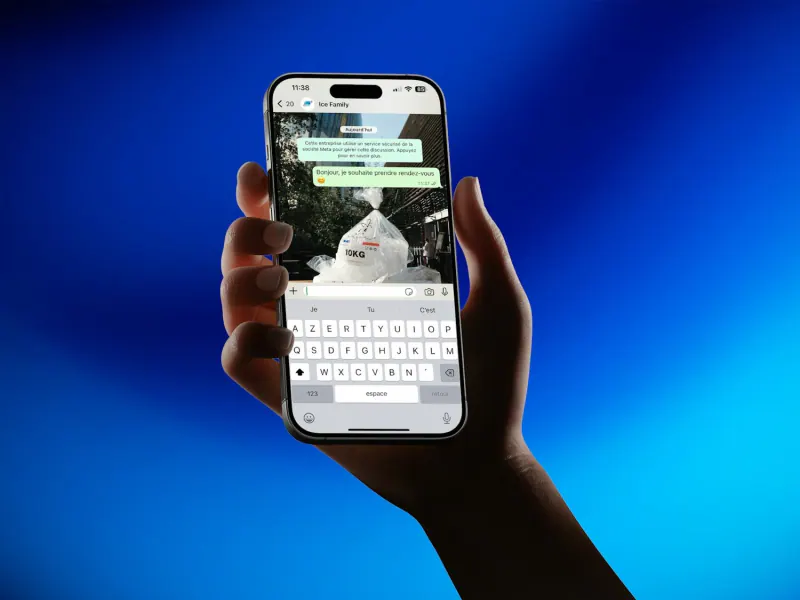
The WhatsApp Business app is free and works for businesses that serve customers from one or a few devices, with quick replies, labels and a catalog. The API, called the WhatsApp Business Platform, lets several agents work from the same number, connect a CRM, use chatbots and send automated messages with approved templates, with a per-message cost for templates. It's time to move to the API when your volume or the number of people answering has outgrown the app.
- The app is free and enough for low-volume businesses with one or two people answering.
- The API has no app of its own: you use it through a platform or a connected system.
- With the API, messages the business initiates use templates approved by Meta.
- Replying within 24 hours to someone who messaged you carries no Meta fee.
- Switching requires planning the phone number, the chat history and the integrations.
The three versions of WhatsApp a business can use
Before comparing, it helps to separate three things people often mix up:
- Regular WhatsApp: the personal app. Many small businesses start this way and that's fine, but it has no business profile, catalog or automated replies.
- WhatsApp Business app: free, downloaded on Android or iPhone, and adds tools for businesses.
- WhatsApp Business Platform (the API): not an app you download. It's a technical connection used through a system: a shared support inbox, a CRM or an automation. Meta offers it directly as the Cloud API and also through authorized providers.
The right question isn't which one is "better," but which one fits the size and workflow of your business today. A salon in Lerdo with a single receptionist doesn't have the same problems as a distributor in Torreón with six salespeople handling leads that come in from ads. The first needs order and fast replies; the second needs to distribute conversations, measure and not lose anyone. Keep in mind which of the two looks more like your business as you read the comparison.
What you can do with the WhatsApp Business app
For most businesses just getting started, the app is more than enough:
- Business profile with address, hours, website and description.
- Catalog of products or services with photos and prices. We explain it in the guide to the WhatsApp Business catalog.
- Automated greeting and away messages.
- Quick replies with shortcuts for the questions that keep coming up.
- Labels to organize chats: new, quoted, paid, delivered.
- Broadcast lists, which only reach people who saved your number.
- Linked devices, so you can use the same account on a computer as well as the phone, with a limited number of sessions.
Its limits show up as the operation grows: you don't know who answered what, there are no response-time reports, it doesn't connect officially to your CRM and automation stops at greeting messages.
What the API (WhatsApp Business Platform) adds
- Several agents on the same number, each with their own login, from a shared inbox such as MonkeyChat.
- Assignment and reporting: who handles each chat, how long they took to reply, how many conversations they closed.
- Integrations: every message can create or update a lead in your CRM, an appointment in your calendar or an order in your system.
- Chatbots and AI assistants that answer frequent questions and hand off to a person when needed.
- Business-initiated messages using Meta-approved templates: order confirmations, appointment reminders, payment notices.
- Interactive buttons and lists inside the chat.
There's one rule you need to understand from day one: the 24-hour window. When a customer messages you, you have 24 hours to reply with free-form messages. Outside that window you can only message them with an approved template.
Side-by-side comparison
| Feature | WhatsApp Business app | API (Business Platform) |
|---|---|---|
| Meta fees | Free | Charged per template message, by category and country |
| How you use it | App on your phone plus linked devices | Through a platform, CRM or your own system |
| People answering | A few, sharing the same session | Many, each with their own login |
| Automation | Greeting, away message, quick replies | Chatbots, AI, workflows, integrations with any system |
| Bulk messaging | Limited broadcast lists | Approved templates with limits that grow with quality |
| Reporting | Basic statistics | Whatever your platform builds |
| Setup time | Minutes | Days or weeks, depending on integrations |
What the API costs: what drives the price
We don't quote figures because they change by country, category and volume, but here are the components you'll pay for:
- Meta template messages. Since 2025, Meta charges per delivered template message, with different rates for marketing, utility and authentication. Marketing templates are the most expensive.
- Service replies. Replying to a customer within the 24-hour window carries no Meta fee. That's why a business that mostly responds spends far less than one that runs campaigns.
- The platform. The inbox, CRM or provider you use usually charges a monthly fee per user or by volume.
- Implementation. Connecting the CRM, building workflows and training an AI assistant is one-time work, plus adjustments.
To estimate the time you'll save before investing, use the automation savings calculator.
Signs you already need the API
- More than two people answer the same WhatsApp and they step on each other's conversations.
- You lose leads because nobody knows who was supposed to follow up.
- You send appointment, payment or delivery reminders by hand every day.
- You want to measure response times and sales per salesperson.
- You run click-to-WhatsApp ads and need to know which campaign generated each sale.
- Your app was blocked or restricted for sending too many messages to people who hadn't saved your number.
If three or more of these sound familiar, the API will probably pay for itself with the time it saves and the sales that currently slip away for lack of follow-up.
How to switch without losing customers
- Decide which number you'll use. It can be the one your customers already know. Through some providers, Meta allows a coexistence mode that lets you use the number in the app and the API at the same time, with certain limitations; check with your provider whether it applies to your case and what happens to your chat history.
- Verify your business in Meta Business Manager and set the display name.
- Write your templates: confirmation, reminder, follow-up. Make them useful and not spammy, so they get approved and keep a good quality rating.
- Connect your CRM or calendar and test with a small group before opening it up to the whole team.
- Train your team on the 24-hour window and on when to escalate to a supervisor.
The natural next step is automating follow-up; we cover it in how to automate lead follow-up with n8n and WhatsApp.
Meta rules you don't want to break
Whether you use the app or the API, WhatsApp is very protective of its users' experience. These rules help you avoid blocks and keep your number's quality rating healthy:
- Consent: only message first those who agreed to hear from you, for example by leaving their number on a form or when buying. Keep a record of how and when they opted in.
- Commerce policy: there are products and services WhatsApp doesn't allow you to promote; review the policy before launching campaigns.
- Number quality: if many people block or report your messages, Meta lowers your rating and may limit how many business-initiated messages you can send per day.
- Limits that grow: on the API, new numbers start with a cap on business-initiated messages that rises as you maintain good quality and volume.
- Opt-out: in marketing messages, offer a clear way to stop receiving them.
If you want to make it easy for people to message you from your website or ads with a pre-filled message, create your link with the WhatsApp link generator.
Example: a clinic in Torreón with three receptionists
A specialty clinic in Torreón took appointments over WhatsApp on a single phone that was passed from hand to hand among three receptionists. Patients had to repeat their information, some appointments got booked twice and reminders were sent by hand the afternoon before. With the API, each receptionist has their own login in a shared inbox, reminders go out automatically with a utility template and the calendar updates when the patient confirms with a button. It's the kind of project you can see in the case study of the cardiology clinic with WhatsApp appointments; for day-to-day operations, also read the guide to customer service on WhatsApp.
If you're in La Laguna and want us to look at your case, our automation team in Torreón can run the assessment on a single call.