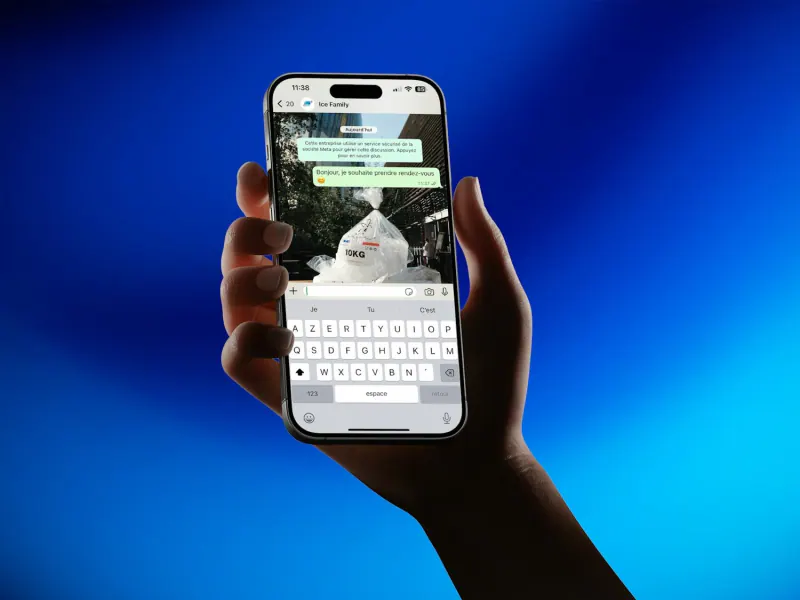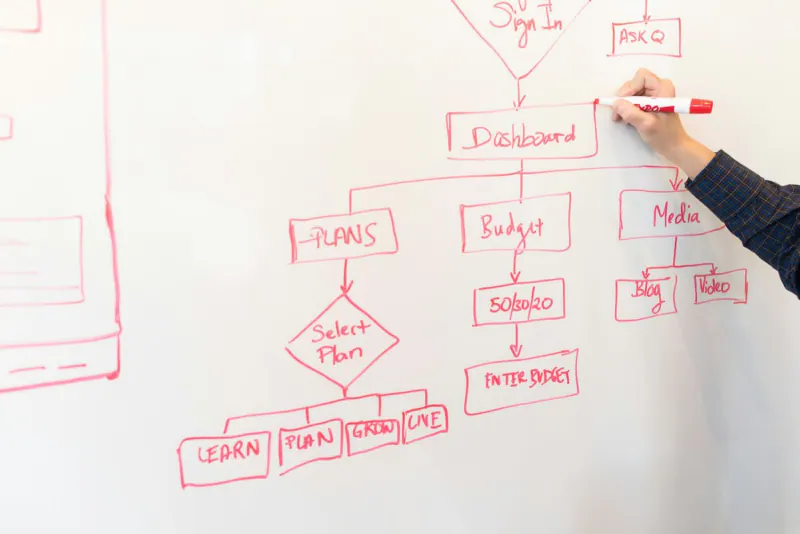
To automate lead follow-up with n8n, WhatsApp and your CRM, send every new lead from your forms, ads and calls to an n8n workflow that creates or updates the contact in your CRM, sends an approved WhatsApp template in the customer’s language within seconds, alerts the right salesperson and schedules follow-ups until the customer replies or opts out. Build it on the WhatsApp Business Platform with recorded opt-in, and add error handling so no lead disappears silently.
- Speed matters most: the first business to reply usually gets the conversation.
- n8n can be self-hosted, which keeps lead data on your own server.
- WhatsApp follow-ups outside the 24-hour window must use approved templates.
- Store language, source and consent with every contact in the CRM.
- Stop the sequence the moment a customer replies, and hand off to a person.
Why automate follow-up at all
Look at what happens to a typical lead today. A homeowner fills out your form at 8:40 p.m. The email lands in a shared inbox. Someone sees it the next morning, calls at 10:15, gets voicemail and makes a note to try again. By then the homeowner has talked to two other companies.
Automation does not replace your salespeople. It handles the parts people do badly when they are busy:
- The first reply, sent within seconds, any time of day.
- Getting the lead to the right person, with all the details in one place.
- Follow-ups on day one, three and seven, which almost nobody does consistently by hand.
- Records of every touch in the CRM, so you can see what is working.
For businesses that serve Hispanic customers, there is one more benefit: the automation can reply in the language the customer used on your form, every time, even when the bilingual person on your team is on a job.
The basic workflow
Here is the flow we build most often. It fits contractors, clinics, real estate teams, schools and most service businesses.
- Trigger. A new lead arrives from a website form, a Facebook or Instagram lead ad, a Google Ads lead form, a missed call or a WhatsApp message. Each source sends data to an n8n webhook.
- Clean the data. Format the phone number in international E.164 format (+1 for the US and Canada), detect the language, and attach the source and UTM parameters.
- Find or create the contact in the CRM, matching by phone and email to avoid duplicates.
- Send the first WhatsApp message using an approved template in English or Spanish, for example: “Hola María, gracias por contactar a Solís Heating & Air. Soy Daniel y te ayudo con tu cotización. ¿Te queda bien una llamada hoy?”
- Alert the salesperson by WhatsApp, Slack or a push notification, with a link to the contact.
- Wait and check. If the customer replies, stop the automation and let a person take over. If not, send follow-up templates on the schedule you set.
- Escalate. If nobody on your team has touched the lead after a set time, alert a manager.
Why n8n (and when another tool fits better)
n8n is a workflow automation tool you can host on your own server or use as a cloud service. It connects to hundreds of apps and lets you add custom code when a connector does not exist.
| n8n | Zapier | Make | |
|---|---|---|---|
| Hosting | Self-hosted or cloud | Cloud only | Cloud only |
| How cost grows | By workflow executions, or your server if self-hosted | By tasks (each step counts) | By operations |
| Learning curve | Moderate; friendlier to developers | Easiest to start | Moderate, visual |
| Custom code | Built in (JavaScript, Python) | Limited | Limited |
| Data control | Full when self-hosted | Stored by the vendor | Stored by the vendor |
We usually choose self-hosted n8n for lead flows because volume grows without the bill growing step by step, and lead data stays on infrastructure the client controls. If your process has three steps and twenty leads a month, Zapier is perfectly fine. n8n uses a fair-code license, so read the terms if you plan to resell it as part of a product.
The WhatsApp side: templates, opt-in and the 24-hour window
Automated messages require the WhatsApp Business Platform (the API), not the free Business app.
- Opt-in. Add a clear checkbox to every form: “I agree to receive messages about my request by WhatsApp / Acepto recibir mensajes por WhatsApp”. Save the consent, the date and the source in the CRM.
- Templates. Any message you send first, or more than 24 hours after the customer’s last message, must use a template approved by Meta. Create each template in English and in Spanish; WhatsApp supports separate Spanish variants, including Mexican Spanish.
- Categories. Follow-ups about the customer’s own request are usually utility templates; promotions are marketing templates, which cost more and face stricter review.
- Quality. If many people block or report your number, Meta lowers its quality rating and can limit how many messages you send. Keep messages relevant and infrequent.
For the strategy behind the channel, read WhatsApp for US businesses selling to Hispanic customers.
The CRM side
The CRM is where the lead’s history lives. n8n has ready-made nodes for HubSpot, Pipedrive and others, and can work with GoHighLevel and most CRMs through their APIs. Whatever you use, store these fields on every contact:
- Phone in E.164 format, used to match WhatsApp conversations to the right contact.
- Preferred language, set from the form or the first message.
- Source and campaign, from UTM parameters and the trigger.
- Consent: whether, when and where the contact opted in to WhatsApp.
- Stage: new, contacted, quote sent, won, lost.
With those fields in place you can report on revenue by source and language, which is the number that tells you where to spend next. Local SEO, Google profiles and ads all feed this same pipeline; see local SEO for contractors for the top of the funnel.
Guardrails that keep automation from backfiring
- Error workflow. If any step fails (the CRM is down, a template is rejected), n8n should alert a person and log the lead somewhere safe, like a spreadsheet.
- Quiet hours based on the customer’s time zone, not your server’s. Nobody wants a follow-up at 6 a.m.
- Stop rules. Any reply from the customer, a booked appointment or a lost deal ends the sequence immediately.
- Opt-out keywords such as STOP, BAJA or “no me escriban”, which unsubscribe the contact automatically.
- Duplicate protection so a customer who submits two forms does not get two sets of messages.
- Human handoff. The automation opens the conversation; a person closes it.
An AI step can help, for example to classify incoming messages (“urgent repair”, “price question”, “existing customer”) or to draft a reply for a person to approve. Keep a human in the loop for anything that promises prices or dates, and do not send sensitive data such as health information to an AI provider without the right agreements.
An example: an HVAC company in San Antonio
Picture a family-owned heating and air company with two office staff and six technicians, getting leads from its website, Google profile, Facebook ads and missed calls. About a third of its customers prefer Spanish.
- Every form on the English and Spanish sites, plus the Facebook lead ads, posts to one n8n webhook.
- Missed calls trigger a quick reply, “Sorry we missed your call. How can we help?”, by WhatsApp template for callers who already opted in, or by text where that is permitted, in the language of the caller’s last interaction or in both languages for new numbers.
- The contact is created in the CRM with source, language and consent, and the on-call dispatcher gets a WhatsApp alert with the customer’s message and photos.
- If the lead is not contacted within 15 minutes during business hours, the office manager is notified.
- A completed job in the CRM triggers a thank-you message and a review request the same evening.
Nothing in that list is exotic. The value comes from every lead getting the same fast, consistent treatment, whether it arrives at 10 a.m. on a Tuesday or 9 p.m. on a Saturday in July.
How long it takes to build
A first version with one form, a CRM, two languages and a three-step follow-up typically takes a couple of weeks, most of it spent on template approval, testing and adjusting messages. Adding ad platforms, missed-call text-back or appointment reminders comes later, one flow at a time.
To estimate the hours your team would save, try our automation savings calculator (in Spanish).
What to measure
- Time to first response, before and after the automation.
- Reply rate to the first WhatsApp message, by language and source.
- Leads touched by a person within one business hour.
- Booked appointments and closed jobs per 100 leads.
- Opt-out and block rates, which tell you if messages are too frequent.
If you are hiring a team to build this, our checklist for hiring an agency in Mexico covers ownership of the workflows and accounts, and nearshore development in Mexico explains how time zones work. We build these flows for businesses in San Antonio and across the US and Canada; tell us about your lead process.