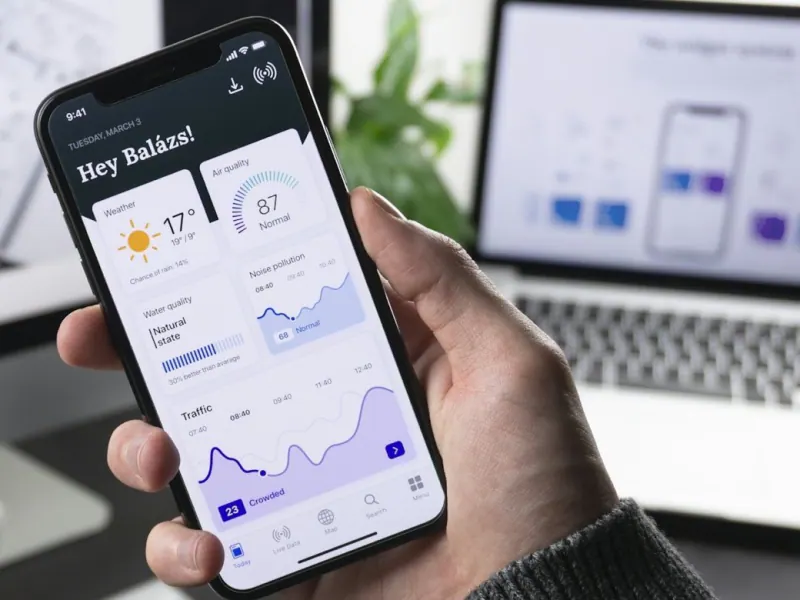
A PWA (progressive web app) makes sense when your app is mostly about browsing, ordering, booking or filling out forms and you want to launch fast with a single codebase. A native app, or a hybrid app built with Capacitor, makes sense when you need phone features the web can't reach on iPhone, such as NFC, Bluetooth, background location or a listing in the App Store. On Android, PWAs are nearly on par with a regular app; on iOS they still have significant limits.
- A PWA installs from the browser, works offline and leaves you with just one codebase to maintain.
- On iPhone, a PWA only gets push notifications if the user has added it to the home screen.
- iOS doesn't show an automatic install prompt; Android and Chrome do.
- Capacitor lets you take the same web code and publish it as an app on the App Store and Google Play.
- The App Store rejects apps that are just a wrapped website with no added value.
- Start from real usage: who opens the app, how often, and which phone feature they need.
Three ways to have an app (and what each one means)
When a client tells us "I want an app," they're almost never asking for a specific technology. They're asking for their customers or their team to have an icon on their phone that opens something fast and useful. There are three ways to get there, and it pays to understand them before you request quotes.
- Native app: built separately for iOS (Swift) and Android (Kotlin). It has full access to the phone and the best performance, but it means maintaining two projects.
- Hybrid app: a single codebase (web with Capacitor, or frameworks like React Native and Flutter) published to the App Store and Google Play. With Capacitor, the interface is web-based and plugins give you access to the camera, native notifications, biometrics, files and more.
- PWA (progressive web app): a website with a manifest and a service worker that can be installed on the home screen, opens full screen and works offline. It doesn't go through any app store.
In our mobile app service we work mostly with PWAs and Capacitor, because they let us reuse the same web foundation and reach both platforms without duplicating work. Fully native apps are reserved for cases where performance or hardware truly demands it.
What a PWA can do on iPhone and Android in 2026
The gap between platforms is still the most important part of the decision. Android and Chrome embraced PWAs years ago; Apple has been opening them up little by little, and with conditions.
| Feature | PWA on Android | PWA on iPhone (iOS) |
|---|---|---|
| Install on home screen | Yes, with an automatic browser prompt | Yes, but manually: Share → Add to Home Screen |
| Push notifications | Yes | Yes, only if installed on the home screen |
| Work offline | Yes | Yes, with stricter storage limits |
| Camera and code scanning | Yes | Yes |
| Fingerprint or Face ID sign-in (passkeys) | Yes | Yes |
| Bluetooth and NFC from the web | Yes, in Chrome | No |
| Background sync | Yes, with limits | No |
| Location while the app is closed | No | No |
| Publish to an app store | Yes, on Google Play as a Trusted Web Activity | No; the App Store doesn't accept PWAs |
The practical takeaway: if most of your users are on iPhone and you rely on notifications, you'll have to teach them how to install the PWA, because Safari won't suggest it. In La Laguna (the Torreón metro area in northern Mexico), where the iPhone/Android mix varies a lot depending on the type of customer, check your Google Analytics 4 data before deciding.
When a PWA is the best option
A PWA is enough, and often better, in these cases:
- Menus, catalogs and orders. The customer scans a QR code, sees the menu and orders via WhatsApp. Nobody wants to download an 80 MB app to order sushi once a month.
- Internal tools for your team. Time clock, inventory, quoting tool or field data capture. You control the phones, so installing the PWA is a five-second step you do once.
- Customer portals. Account statements, appointments, invoices, order tracking.
- Validating an idea. You launch in weeks, measure real usage, and only then decide whether the app stores are worth it.
Our MonkeyChecador and MonkeyInventario work this way: they open in the browser, install on the employee's phone and use the camera to scan QR codes or barcodes. One link and they're up and running.
Another advantage few people consider: a PWA is also a website. Google can index it, it's shared with a link, and updates arrive instantly, without waiting for each user to update from the store.
When you need a native or hybrid app
Going to the App Store and Google Play is worth it when at least one of these conditions applies:
- Hardware the web can't reach on iPhone: NFC to read cards, Bluetooth for printers or scales, health sensors, home screen widgets.
- Background location: tracking delivery drivers or route staff while the app is closed.
- Critical notifications on iPhone for users who won't install a PWA. For example, end customers who will only look for your app in the store.
- Store presence as a trust signal. In banking, healthcare or memberships, being in the App Store adds credibility.
- In-app purchases of digital content, which follow the stores' own billing rules.
This is where Capacitor is the middle ground we use most: the same PWA code is packaged as a native app, and plugins are added for whatever the web can't do. A word of caution: Apple rejects apps that are just a website stuffed into a container. To pass review, the app has to bring something of its own, such as native notifications, offline features, biometrics or hardware integration.
Quick comparison: cost, time and maintenance
| Criterion | PWA | Hybrid (Capacitor) | Native (Swift + Kotlin) |
|---|---|---|---|
| Codebases | 1 | 1 + per-platform configuration | 2 |
| Typical time to launch | Shortest | Medium | Longest |
| App store review | Not applicable | Yes, for every major release | Yes, for every release |
| Developer accounts | No | Apple (annual) and Google (one-time fee) | Same as hybrid |
| Updates | Instant | UI instantly, with care; native parts through the store | Through the store |
| Hardware access | Partial, less on iOS | Nearly complete via plugins | Complete |
What drives cost the most isn't the technology but the scope: how many screens, how complex the backend is (users, payments, real time), integrations with your current system and how many user types there are. For a sense of timelines, see our guide on how long it takes to build an app.
An example from La Laguna
A laundry chain with four locations in Torreón and Gómez Palacio asked us for "an app like the banks have." When we looked at real usage, we found two very different audiences:
- Customers: wanted to know whether their clothes were ready and to pay with Mercado Pago (Latin America's PayPal-style wallet). We solved it with a PWA and WhatsApp alerts, which in Mexico get read far more than an app notification.
- Delivery drivers: needed routes, delivery signatures and location tracking with the phone locked. For them we built a Capacitor app, installed on their work phones.
With one backend and two interfaces, the customer side launched in a few weeks and the driver side was added later. Had they started with two native apps in the stores, the first launch would have taken several more months. This "start with what your customer uses most" logic is the same one we applied in the Hanabi Ramen & Sushi case, where the QR menu and WhatsApp ordering came before any app.
Common mistakes when commissioning an app
These are the stumbles we see most when a business comes to us with an app already quoted elsewhere or half built:
- Asking for the app before fixing the process. If orders get lost in WhatsApp today, an app won't fix that by itself. First organize the workflow, then digitize it.
- Copying every feature from the competition. The first version should do one job really well. The rest gets added when real users ask for it.
- Forgetting who will maintain it. iOS and Android change every year. An app without maintenance starts breaking or gets pulled from the store for not meeting new requirements.
- Not measuring usage. Without analytics you don't know which screens get opened or where people drop off. Set it up from day one.
- Leaving the code and accounts in the vendor's name. The Apple and Google accounts and the code repository should belong to your company, even if someone else manages them.
Reviewing these points before you sign saves more money than any discount on the quote.
How to decide in five questions
- Who uses it? If it's your team, a PWA is almost always enough. If it's the public, think about how they'll find you.
- How often do they open it? Daily use justifies an install; occasional use calls for web and WhatsApp.
- Which phone feature do you need? Check it against the iOS table above.
- Are notifications critical? On iPhone, they only reach an installed PWA.
- Do you need to be in the store for image or as a channel? If so, use Capacitor on top of the same web foundation.
If you're still not sure which processes to digitize first, the digital transformation assessment gives you a priority order in a few minutes. And if you'd like to compare against something already built, browse our software solutions or read the guide on custom software vs. Excel.